
 Pénzügyi szolgáltatás
- Pénzügyi szolgáltatás
Proto.io
Web-based no-code prototyping software.
Bemutatkozás
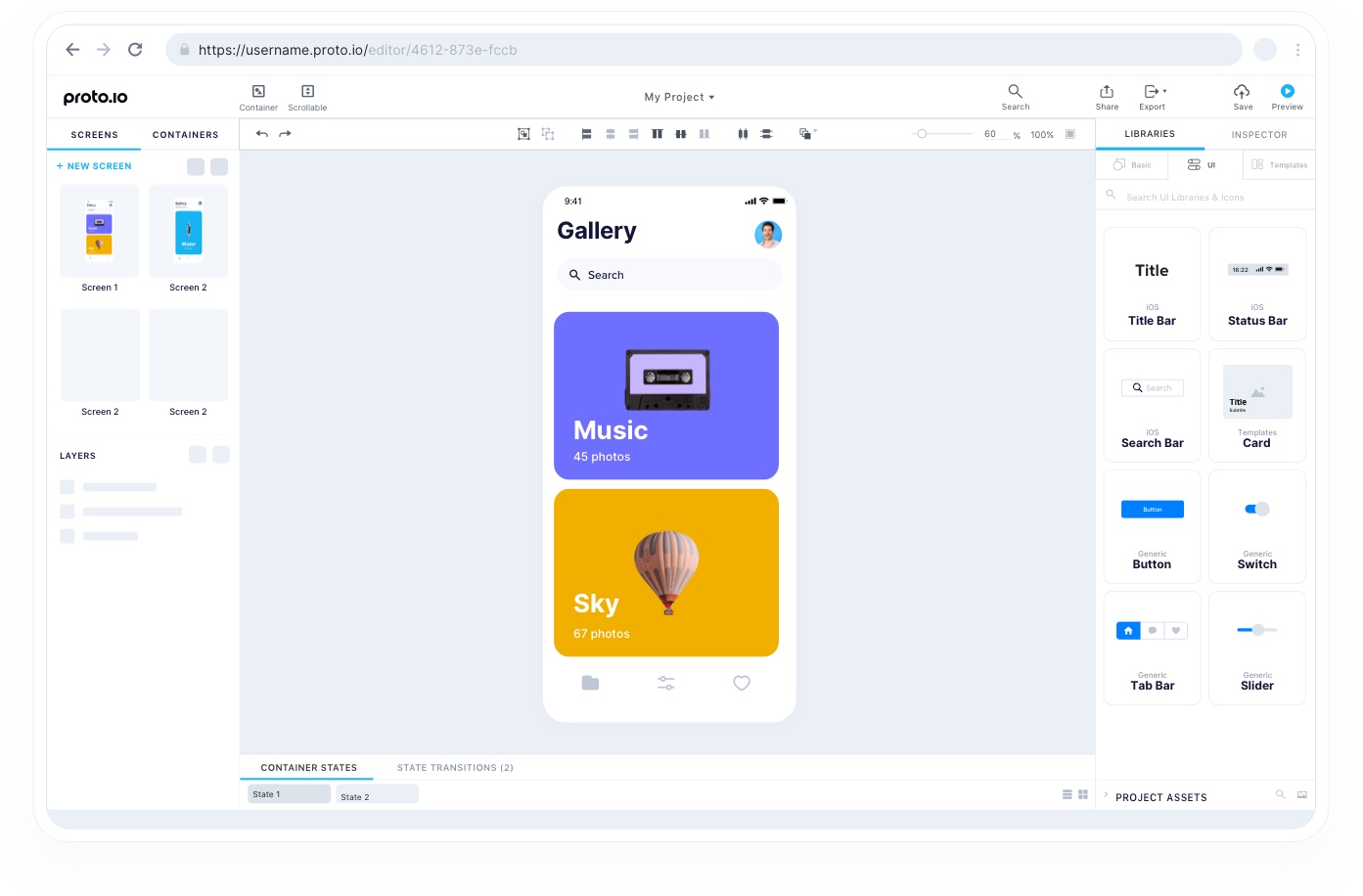
Proto.io offers a 100% web-based, no-code prototyping solution designed for UX designers, entrepreneurs, product managers, and marketers. The platform features an intuitive drag-and-drop interface and provides over 250 UI Components mimicking native behavior, over 1000 customizable templates for web and mobile, and over 6000 digital assets including icons and sound effects. Core functionalities include adding interactivity with over 40 events and nested scrollable areas, advanced animation features like screen transitions and timeline-based state animations, and robust preview/sharing options (web, native apps, PDF, PNG, HTML export). The company emphasizes security, offering features like 256-bit encryption and ISO/IEC 27001 compliance, and provides extensive resources including documentation, video tutorials, and dedicated support.
Szolgáltatások, tevékenységek
- Prototyping solution for all needs
- Drag & Drop Building Blocks
- UI Component Libraries (iOS, Material Design, Windows, watchOS, etc.)
- Templates for Web and Mobile
- Patterns (UI components)
- Icon library
- Animated icons library
- Sound Effects library
- Audio component (upload and control)
- Video component (upload, YouTube, Vimeo control)
- Lottie Animation (After Effects) support
- Scrollable containers
- Reusable containers
- Custom components library creation
- Webview component (embed external HTML)
- HTML code component
- Asset upload (drag & drop, paste to upload)
- Masking tool
- Plugins for Sketch, Figma, XD & Photoshop integration
- Standard and custom device sizes/skins
- Assets manager (upload and organization)
- Fonts manager (Google Fonts, Adobe Fonts, custom upload)
- Saved color palette
- Eyedropper tool
- Gradient colors creation and animation
- Filters & Color Adjustments application and animation
- Web-based Editor access
- Keyboard Shortcuts availability
- Grid system and rulers
- Smart and distance guides
- Custom guides
- Device orientation support
- Light and Dark theme editor
- Copy between projects
- Version control (automatic backups)
- Interactions (Change screen, Scroll, Animate, Logic, Control media, Open URL, Make a call)
- Touch events & Gestures support (tap, swipe, pinch, zoom, multi-touch)
- Mouse events support (click, mouseover)
- Keyboard Events triggering actions
- Screen Events (show/hide, orientation changes)
- Drag and Rotate functionality with bounds
- Parallel, sequential interactions with delay
- Interactions wizard
- Fire item's event
- Interactive UI Elements
- Interaction areas (hotspots)
- Variables for conditional logic
- Change item properties dynamically
- Screen transitions (Slide, Fade, Pop, etc.)
- Timeline-based state animations
- Easings Manager and presets
- Web preview
- Mobile preview (Proto.io Player app for iOS/Android)
- Offline preview (via Player app)
- Customizable preview colors/frames
- Hotspots visibility control in preview
- Click effect display in preview
- Share prototype links (Public or Password Protected)
- Share with Reviewers (sign-in required)
- Snapshot or live version sharing
- Share link analytics
- Share link management (pause, delete, change URL)
- Comments and discussion threads for feedback
- User testing integration support
- Embed prototype functionality
- Export to PDF
- Export to PNG (all screens or assets)
- Export UI assets (components, groups, screens)
- Export to HTML (for offline use)
- Jira Plugin integration
- Confluence Macro integration
- Trello Power-Up integration
- Project Management settings
- User Management (roles: owner, admin, designer, reviewer)
- Custom branding upload
- Granular role-based security
- Subscription plan management (4 plans, archiving, parking)
- Enterprise plan features
- Educational plans
- Student & Non-profit discount
- Free plan availability
- Enterprise Grade Security features (SSO/SAML, IP Access Restrictions, Domain Access Restrictions, Disable Public Sharing, Priority Support)